iCloudBox
Cloud storage where the sharing is the product — links that expire, links behind a password, and the numbers on what happened to them.
- Type
- Storage & sharing
- Disciplines
- Product design, design systems, development
- Platforms
- Web, iOS, Android
Every cloud drive can hold a file and hand you a link. What almost none of them do is treat that link as a thing worth managing. iCloudBox does: a share can be set to expire, put behind a password, or both, and the person who sent it can see what happened to it afterwards — opens, downloads, who and when.
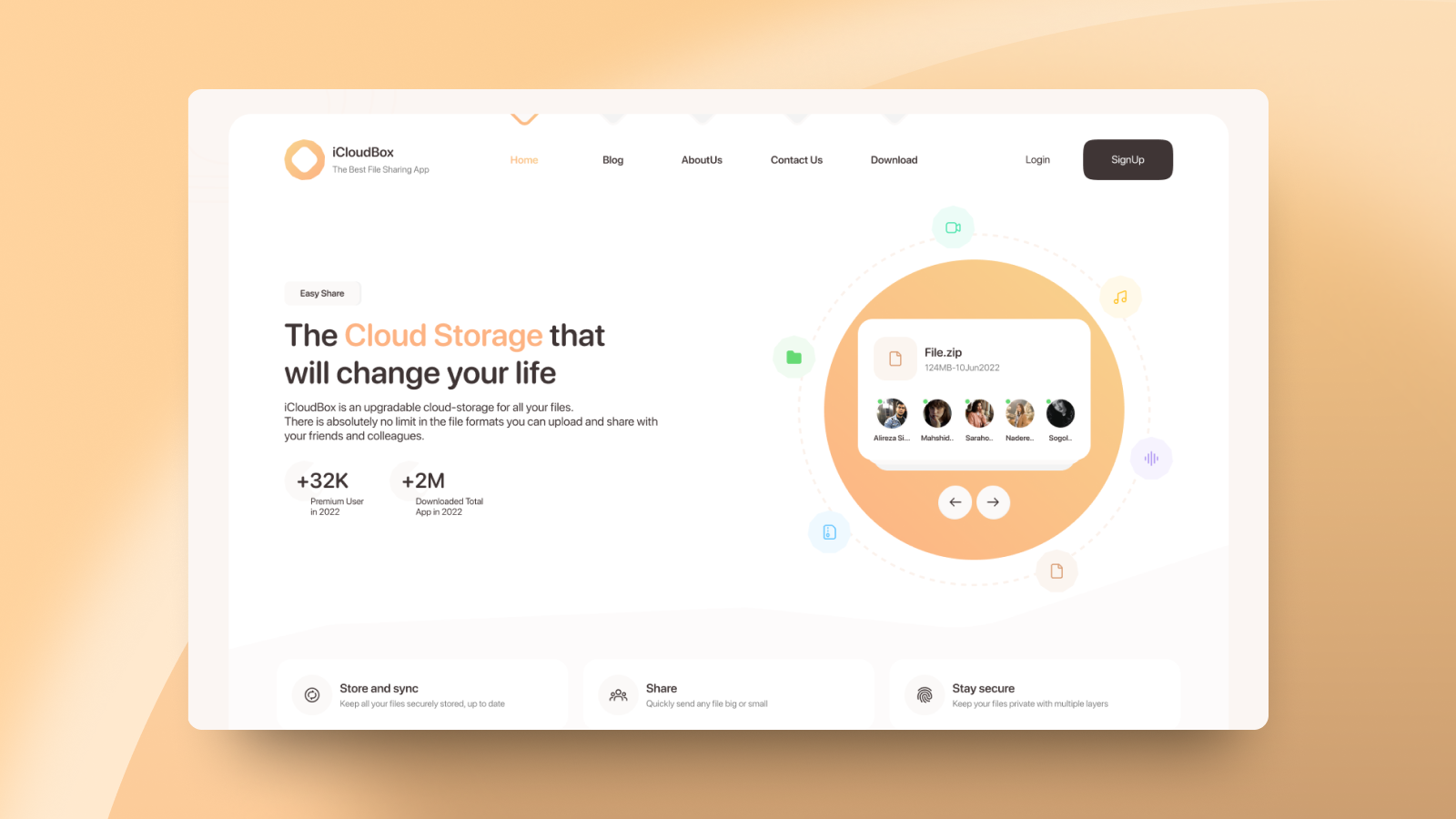
A link you can still answer for.
That turns a share from something you send and forget into something you can actually answer questions about. Did the client open it. Is the link from March still live. Which of the five people it went to ever downloaded the thing. None of those are exotic questions, and the surprising part is how rarely a drive will answer them.
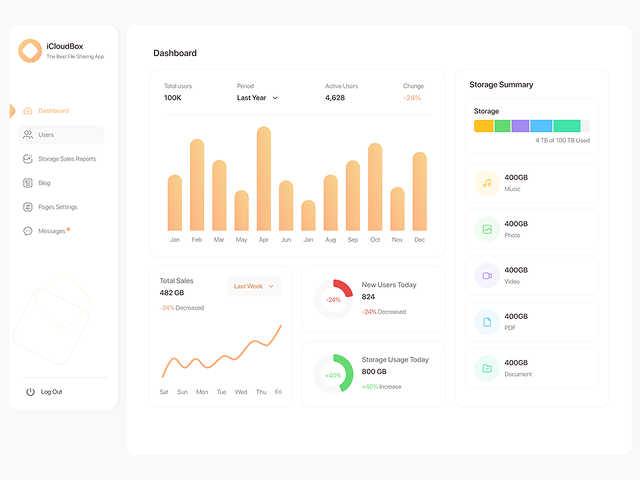
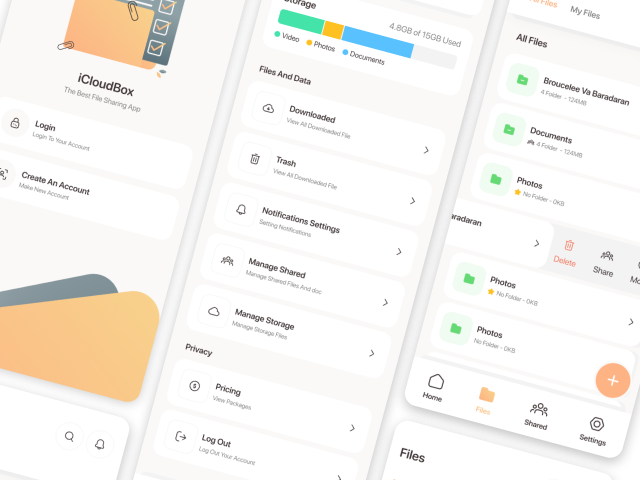
It runs on the web, on iOS and on Android, and the file browser is the same idea in three sizes: what is in here, how much room is left, and what you can do to a file without leaving the row it is on. The admin side is where storage, users and sales are read as one picture rather than three exports.
The challenge
Storing files is a well-understood problem; the brief for iCloudBox was to make the share itself a first-class object. That means a link with rules attached — an expiry date, a password — and a history that the sender can read later, all without making the simple act of sending a file feel like filling in a form.
It also had to hold together on three platforms and on two sides. People use it on the web, on iOS and on Android, and expect the same file in the same place on each. Behind them, the operator needed one view of storage, users and sales rather than figures scattered across separate reports.
How Lico Studio approached it
Product and interface design
Sharing was designed as a quick default with depth behind it: a link can be sent in a moment, and the expiry, password and recipients are there for anyone who wants them. The marketing site shows exactly that — a single file being shared with five people — so the idea is understood before anyone signs up.
In the app, the file browser keeps every action on the file's own row, and the account and settings screens follow the same patterns. The admin dashboard brings users over the year, total sales and a storage summary by file type onto one screen, built from the same design system as the apps.
Engineering and implementation
Each share is stored as its own record, separate from the file it points to, carrying its expiry, its password and a log of opens and downloads. Access rules are checked at the moment a link is opened, so an expired or protected link behaves correctly wherever it was sent, and every visit adds to the history the sender reads.
One backend serves the web app and the native iOS and Android apps, which is what keeps files, folders and shares consistent across devices. The admin side reads from that same source, so storage by file type, user numbers and sales are computed together rather than exported and reconciled by hand.
What was delivered
Cloud storage on the web, iOS and Android, with a marketing site and an admin dashboard. Users can store and organise files, send links that expire or sit behind a password, and see afterwards who opened or downloaded them and when. The operator can follow users, sales and storage use by file type from a single dashboard.
If you need programming and product development for your business, get in touch with Lico Studio.